Point to your folders
Register one or more folders that already contain your local video collection. Your files stay exactly where they are.
Windows 10 & 11
Browse, rediscover, and organize your local video collection—without uploading a single frame. Built for private libraries that have outgrown folders.
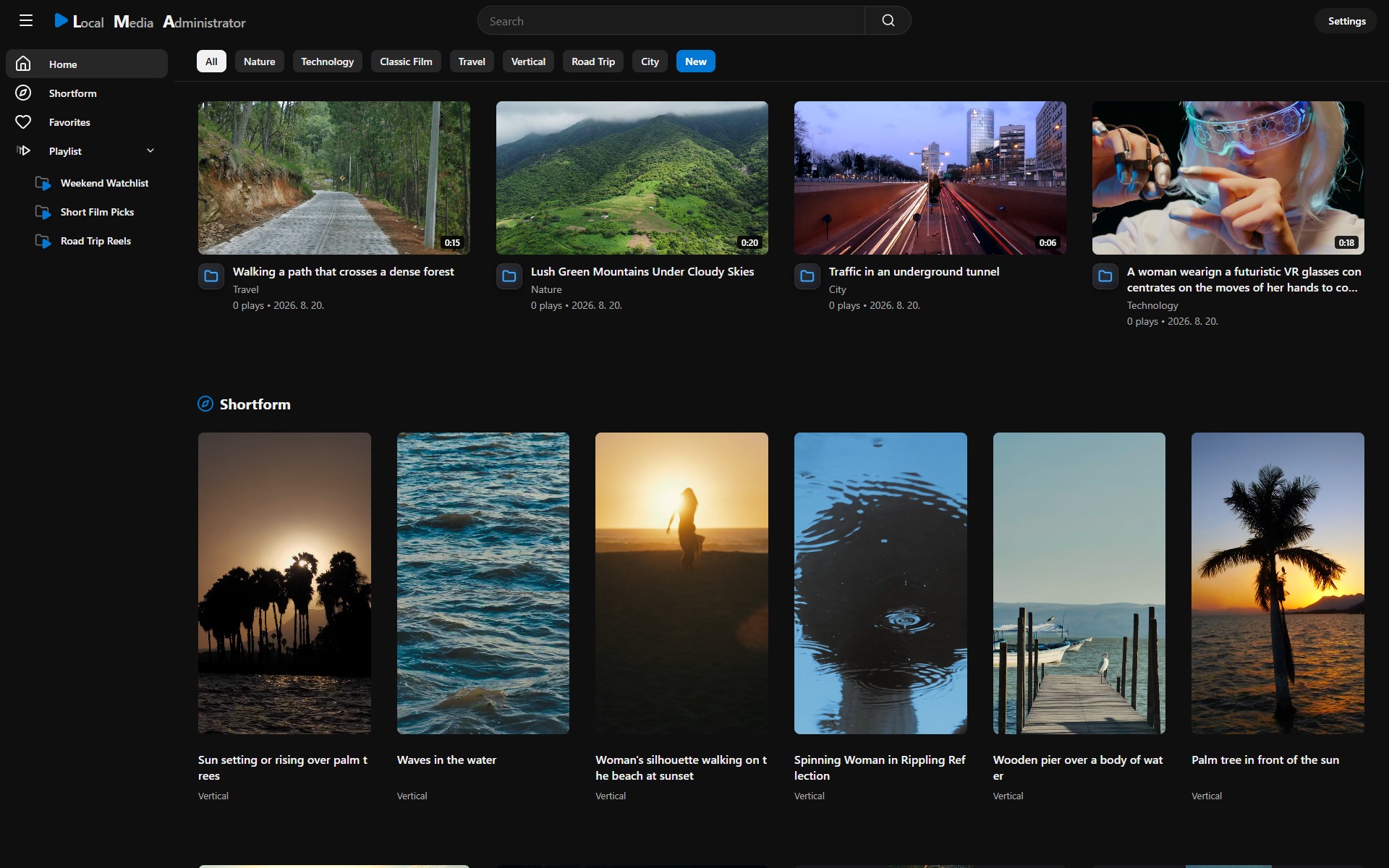
Nothing to upload.
LMA reads the folders you already own.
YOUR FOLDERS
→LOCAL INDEX
→YOUR DEFAULT BROWSER
NO CLOUD LIBRARYWatch the actual workflow—from opening the library and registering a folder to browsing, organizing, and playing your collection.
Open on YouTubeStart where your files already are
No imports into a proprietary cloud and no forced folder migration. LMA adds a visual, searchable layer over the video collection on your Windows computer.
Register one or more folders that already contain your local video collection. Your files stay exactly where they are.
Scan the folders and LMA creates a local index for fast browsing, search, and organization.
The Windows app opens a private loopback library in your default browser at 127.0.0.1.
One library, many ways back in
LMA is built around the moments that matter after a library gets big: rediscovering something, narrowing it down, and inspecting the exact frame.
01 / Rediscover
Move beyond filenames and nested folders. Browse a visual home feed, jump into folder pages, shuffle the library, or switch to a vertical shortform view.
02 / Organize
Favorites, tags, playlists, playback queues, and bulk actions live in LMA's local metadata. Your source videos remain in their registered folders.
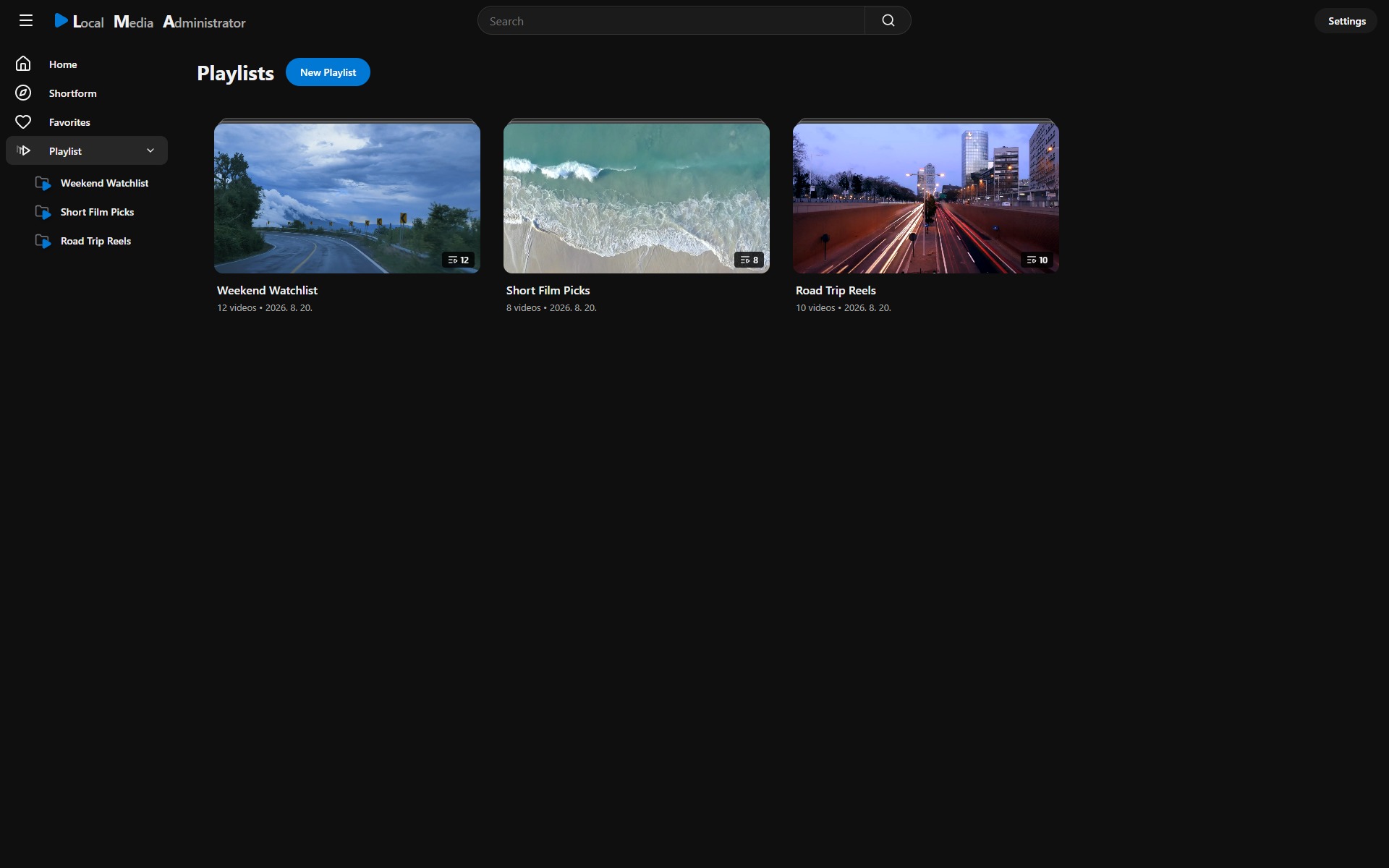
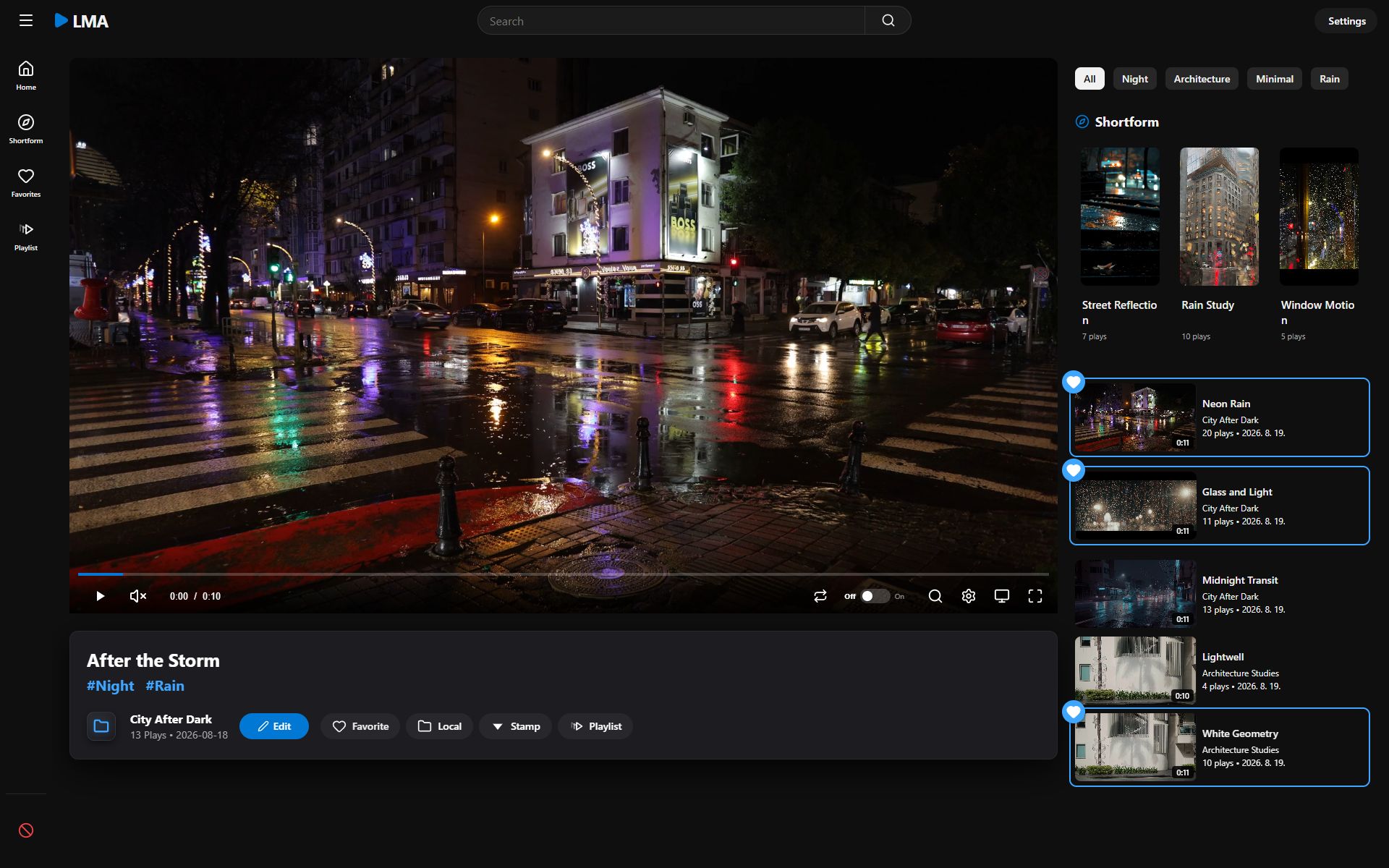
03 / Inspect
Repeat a precise segment, step frame by frame, change speed, zoom and pan, rotate the view, capture a frame, or save a timestamped stamp.
Feature map
Visual routes back into a large personal archive.
Flexible structure without moving the source files.
A browser player with unusually precise controls.
A library layer for the drives you already own.
Privacy, without vague promises
Registered videos stay in their original folders. LMA serves the library only on your computer and disables LAN access. Pro activation and one final verification approximately one week later are separate HTTPS requests that do not include your registered videos.
LMA does not upload registered video files for browsing, search, or playback.
Tags, playlists, favorites, stamps, settings, and backups stay in the local app profile.
Pro uses HTTPS for initial activation and one final verification approximately one week later. Registered videos are not transmitted.
Simple editions
Lite and Pro use the same local library experience. Pro removes the resource limits.
A complete starting point for a personal video library.
Remove the resource limits with a one-time perpetual upgrade.
Pro requires an internet connection for initial activation and one final verification approximately one week later. After that verification, Pro can be used offline on that installation. Internet access is also required to check for and download updates.
The Pro license does not expire. Each purchase includes email support for 12 months from the purchase date and all maintenance and feature updates released for the purchased edition. After support ends, the latest eligible version remains usable. A substantially upgraded future edition may be offered as a separate paid upgrade.
Support covers reasonable assistance with installation, activation, and reproducible product defects. It does not include custom development, guaranteed feature requests, data recovery, or compatibility outside the published system requirements. Statutory consumer rights are unaffected.
Payment, taxes, and purchase terms are shown before purchase. Read the support terms. Read the refund policy.
Refund policy
Refunds are available within seven calendar days of purchase if LMA does not function as described on this website.
To request a refund, email support@local-media-administrator.com and include your order number and a brief description of the problem.
This policy does not limit any refund, remedy, or consumer right that cannot be excluded under applicable law.Know before you install
LMA is intentionally narrow today: a Windows application for compatible local video collections. These boundaries are part of the product, not footnotes.

Local Media Administrator
For Windows 10 and 11 · Local video libraries · Free Lite edition included
Questions, answered plainly
Plain answers about privacy, compatibility, licensing, and product limits.
No. Registered media is read from its original folders and is not uploaded to a cloud library. Browsing, search, playback, and organization run against LMA's loopback-only local server.
LMA currently indexes MPEG‑4 Part 14 container files only. Playback depends on the codecs supported by your installed browser, and LMA does not transcode media.
The media library itself is local, and Lite needs no activation. Pro requires an internet connection for initial activation and one final verification approximately one week later. After that verification, Pro can be used offline on that installation. Internet access is also required to check for and download updates. Registered videos are never uploaded as part of licensing.
LMA blocks creation of additional limited resources and shows a notice. Existing media files are never deleted. Upgrade to Pro to remove the video, tag, and playlist limits.
No. LMA intentionally binds to 127.0.0.1, disables LAN access, and does not provide remote streaming.
LMA creates validated startup backups, scheduled daily backups while the server is running, and manual backups on request. An in-app restore button is not available yet.
English, Korean, Japanese, Chinese, Spanish, German, and French.
No. Pro is a one-time $19.99 perpetual upgrade with no recurring subscription. The license does not expire. A substantially upgraded future edition may be offered as a separate paid upgrade. See the separate Refund Policy for eligibility and request instructions.
Pro includes email support for 12 months from the purchase date and all maintenance and feature updates released for the purchased edition. After support ends, you may continue using the latest eligible version. Support covers reasonable assistance with installation, activation, and reproducible product defects. It does not include custom development, guaranteed feature requests, data recovery, or compatibility outside the published system requirements. Statutory consumer rights are unaffected.
Release transparency
Original media remains in registered folders. LMA's server listens on loopback only and disables LAN access.
The encrypted Pro key and device identifier use Windows DPAPI. Online license requests do not include registered videos.
The Windows release will include the required notices for every bundled third-party component.
Price, payment, applicable taxes, purchase terms, and the refund policy are shown before purchase.